Frequently asked questions
Everything about using Klime, plans and billing, and how your data is handled. Can't find your answer? Contact us.
About Klime
What is Klime AI Companion?
Klime AI Companion is a browser extension that puts an AI assistant in your browser side panel. You can ask questions about the page you are reading, summarize articles, explain difficult passages, translate, rewrite text, draft email replies and generate images, without leaving the tab you are on.
Is Klime AI Agent the same as Klime AI Companion?
Yes. Klime AI Agent and Klime AI Companion are two names for the same browser extension by FitzTools. The store listings use the full name, Klime AI Companion; many people simply call it Klime or Klime AI Agent.
How does Klime work?
Open Klime from the toolbar icon or with the keyboard shortcut. While the panel is open, Klime reads the page context in your browser. When you send a message or use a quick action, your request, recent chat turns and the page excerpt go through the Klime proxy to OpenRouter to generate the answer. Nothing is sent until you ask.
Which AI model does Klime use?
Requests are routed through OpenRouter, typically to OpenAI GPT-4o mini or a successor model we configure.
Does Klime work on every website?
Klime works on most ordinary webpages, but not on browser-internal pages (for example chrome://) and other pages browsers protect from extensions. Results also depend on how much readable text a page contains.
Do I need an account?
No. There is no Klime login. Klime uses a random install ID stored in your browser; subscriptions are linked to it.
Can I talk to Klime instead of typing?
Yes, with optional voice input. When you tap the mic, your browser asks for microphone access. Speech is converted to text in your browser and only the text is sent when you send the message. Audio is not uploaded.
Features
Does Klime work with YouTube?
Yes. On YouTube videos that have a transcript, Klime can fetch it to summarize the video and answer questions about it. If a video has no transcript, Klime cannot summarize what is said.
Can Klime help write emails?
Yes. In Gmail, Klime can draft new emails, suggest replies to the open message and polish your wording. The draft is inserted into the compose field so you can review and edit it.
Does Klime send emails automatically?
No. Klime never clicks Send. It does not use the Gmail API, does not sign in to your Google Account and does not list or download your inbox.
Can Klime translate webpages?
Yes. Klime can translate selected text and page content, and you can ask questions about a foreign-language page in your own language. Quality depends on the language pair and the text.
Can Klime generate images?
Yes. Describe the image in the side panel, ask for edits, or attach a reference image. Each image generation uses one AI request, the same as chat or a summary.
Where are my saved pages and notes stored?
Locally, in your browser on your device. They are not a cloud account and are removed if you clear extension data or uninstall.
Plans and billing
Is Klime free?
Klime has a free tier with one AI request per calendar day. To keep using AI the same day, choose Weekly ($4.99 per week after a 3-day free trial), Monthly ($9.99 per month) or Yearly ($39.99 per year). See Pricing.
How many free AI requests do I get?
One per calendar day, shared across all AI features. Chat, a page summary, a YouTube summary, an email draft or an image each use that same request. It is not one free request per feature.
How does the 3-day trial work?
The Weekly plan starts with a 3-day free trial. You need a payment method to start it. If you do not cancel before the trial ends, it converts to $4.99 USD per week and renews weekly.
How do I cancel my subscription?
Use the receipt or customer-portal link from Dodo Payments, or Klime's restore flow, which emails that portal link to your checkout address. Cancel before the trial or renewal date to avoid the next charge. Uninstalling Klime or clearing browser storage does not cancel a subscription.
How do I restore my subscription on another browser?
In Klime, type the email you used at checkout. We check Dodo Payments for an active subscription and link it to the new installation only after that check succeeds.
Who processes my payment?
Dodo Payments, the merchant of record. Checkout opens on their page in a new tab; Klime and FitzTools never receive your card number or CVC. The checkout page and your receipt show the Klime AI Companion name.
Can I subscribe on this website?
No. Plans are started from inside Klime. Install it, then open its upgrade screen.
Privacy and data
Does Klime store my browsing history?
No. Klime does not collect your browsing history as a list. It reads page context only while its panel is open or when you use Ask AI.
What happens to the text I send to AI?
It goes to the Klime proxy and on to OpenRouter only to generate your answer. It is processed transiently; we do not keep a long-term database of your prompts or page content. Conversation history stays on your device. See the Privacy Policy.
Is my data used to train AI models?
We do not use your data for advertising, do not sell it and do not use it to train generalized machine-learning models.
Does Klime track clicks or keystrokes?
No tracking. Klime does not log, store or send your clicks, scrolling, mouse movements or keystrokes, and keeps no activity history. In your browser it only responds to your own use of Klime controls (the Klime icon, the on-page launcher, the Gmail reply button, Ask AI) and to text you select, so it can run the feature you chose. It does not access calendars, passwords or your Google Account.
Browsers and support
Which browsers are supported?
Google Chrome (Chrome Web Store) and Microsoft Edge (Edge Add-ons). Klime is designed around the Chrome side panel, so some features may behave differently in other browsers.
What is the keyboard shortcut?
In Chrome, open Klime with ⌘ + M on macOS or Alt + M on Windows, Linux and ChromeOS. You can change extension shortcuts at chrome://extensions/shortcuts.
Where can I read the Privacy Policy and Terms of Use?
Read the Privacy Policy and the Terms of Use. Both are specific to Klime AI Companion and published in English.
How do I contact support?
Email [email protected]. Include your browser and, for billing questions, the email you used at checkout.
See Klime AI Companion in action.
Screens from our store listing: page summaries, translation, one-click actions and YouTube, all in the side panel.
-
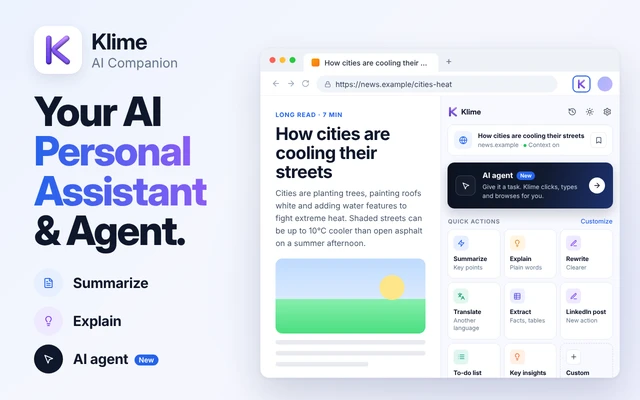
01Your AI, right beside the page -
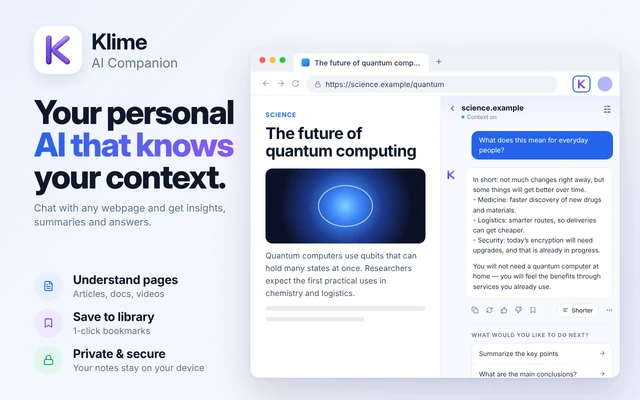
02Chat with any webpage -
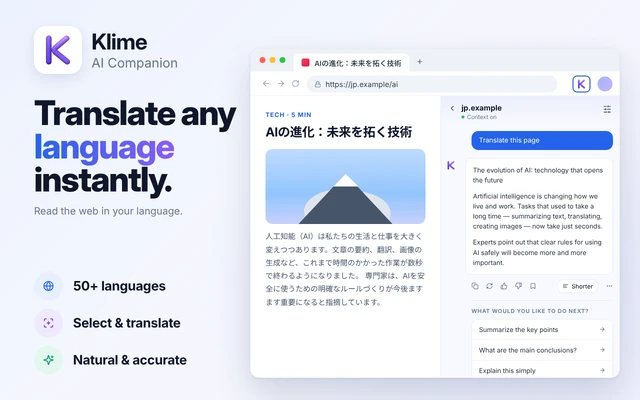
03Translate selected text instantly -
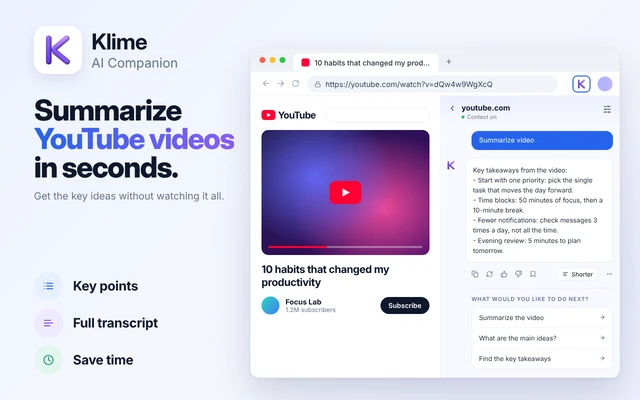
04Summarize YouTube videos in seconds -
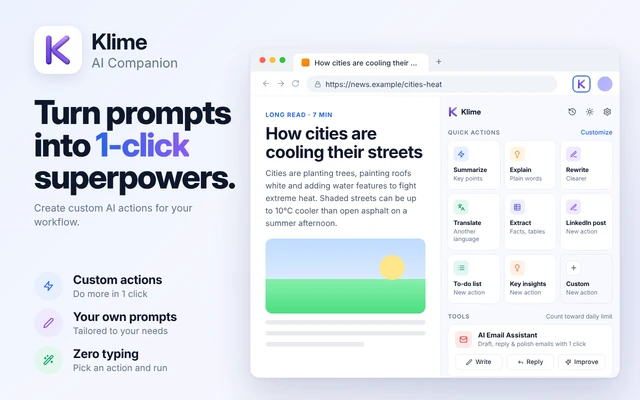
05Turn prompts into one-click actions
A smarter way to browse starts with Klime.
Install Klime, open it beside any page and try your first request free today.